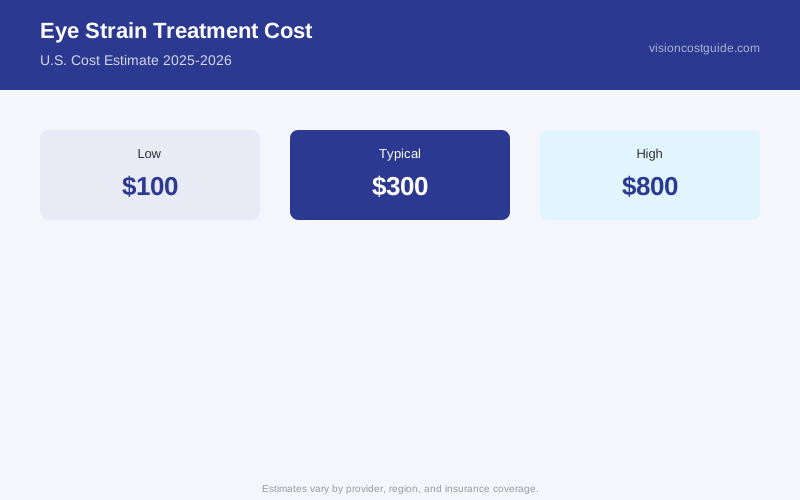
The $400 blue-light glasses are probably not going to fix your eye strain. Neither will the $60 eye drops marketed specifically for screen users. Here’s what eye strain actually costs to address — starting with the free interventions that work for most people, and ending with the specialist care that’s appropriate when something else is going on.
The Scale of the Problem
Digital eye strain — also called computer vision syndrome — is among the most common eye complaints in working-age adults. The Vision Council reports that approximately 65% of Americans experience digital eye strain symptoms, including eye fatigue, headaches, blurred vision, and dry eyes after screen use. Despite the prevalence, most cases respond to behavioral changes and correction of underlying refractive errors — not specialty products.
Start Here: Free and Low-Cost Fixes
Before spending anything, try the 20-20-20 rule: every 20 minutes, look at something 20 feet away for 20 seconds. It’s not a marketing gimmick — it’s a physiologically sound reset for the ciliary muscle (the muscle that focuses your lens) that contracts continuously during near work. Many people see meaningful improvement from this alone.
Adjust your monitor: screen should be 20–28 inches from your eyes, top of the monitor at or slightly below eye level. Reduce ambient glare (anti-glare screen covers cost $15–$40). Increase text size rather than leaning toward the screen.
Blink consciously. Studies have documented blink rate dropping from 15–20 blinks per minute at rest to 5–7 blinks per minute during focused screen use. That’s the direct cause of screen-induced dry eye and a major driver of eye strain.
Cost: $0–$40 for these interventions.
The Examination: Most Important Spend
| What You Get | Typical Cost | What It Finds |
|---|---|---|
| Comprehensive eye exam | $100–$250 | Refractive error, binocular vision issues |
| Refraction (with exam) | Included | Uncorrected prescription driving strain |
| Binocular vision evaluation | $150–$400 | Convergence, accommodation insufficiency |
| Contact lens fitting (if needed) | $50–$150 | Contact-related dry eye as strain driver |
If you’re spending more than 4 hours/day on screens and experiencing daily eye strain, a comprehensive eye exam is the most cost-effective first step. Uncorrected or undercorrected refractive error is one of the most common treatable causes of eye strain — and many adults don’t realize their prescription has shifted.
The other finding that matters: binocular vision problems. Convergence insufficiency (the eyes don’t aim together efficiently at near) and accommodative insufficiency (the eye’s focusing system is stressed at near) both cause significant screen-related strain. These aren’t found on a basic refraction — your doctor needs to specifically test near point of convergence, accommodative amplitude, and vergence ranges. Ask explicitly.
Glasses and Contacts for Eye Strain
Updated prescription glasses: $150–$500 for a complete pair, depending on frame and lens choice. If your prescription has changed 0.50D or more, updated glasses often resolve strain quickly.
Computer glasses (single-vision, optimized for screen distance): $75–$250 for prescription computer glasses, $30–$80 for OTC versions. These are tuned for 20–28 inch viewing distance, not distance or full reading. If you spend the majority of your day at a desk, dedicated computer glasses may reduce strain compared to progressive lenses (which have a narrow intermediate zone).
Blue-light filtering lenses: $30–$100 extra for the coating on prescription lenses, or $20–$50 for OTC blue-light glasses. Important caveat: the American Academy of Ophthalmology does not recommend blue-light glasses specifically for eye strain — the evidence that blue light from screens causes eye damage or significantly drives strain is weak. The coating may help with sleep disruption if you use screens before bed, but it’s not a proven eye strain solution. Don’t pay a significant premium specifically for blue-light blocking if the primary goal is reducing eye strain.
Anti-reflective (AR) coating: $50–$150 added to prescription lenses. This one does have evidence behind it — AR coating reduces glare and reflection from overhead lighting and screens, which is a genuine contributor to visual discomfort. This is a worthwhile add-on.
Prescriptions for distance vision don’t account for near/intermediate work. If you’ve been wearing the same glasses for 3+ years and screen strain has gotten worse, consider whether your prescription is still current — or whether you’d benefit from separate computer glasses. Many people over 40 struggle with progressive lenses at computer distance because the intermediate zone is narrow. An eye doctor can write a separate prescription optimized for computer distance (typically your working distance from the screen, not 12-inch reading distance and not 20-foot distance). This is often covered by vision insurance as part of your annual lens benefit.
Vision Therapy for Underlying Binocular Issues
If a binocular vision problem is identified — convergence insufficiency, accommodative excess, or oculomotor dysfunction — vision therapy is the targeted treatment.
Vision therapy for convergence insufficiency: $150–$300/month for in-office sessions, typically 12–24 sessions total. A landmark study (CITT, Convergence Insufficiency Treatment Trial) published in Optometry and Vision Science demonstrated that office-based vision therapy resolved convergence insufficiency in 75% of treated children and adults, compared to 33–43% with home-based exercises or placebo therapy. This is real evidence for a real treatment — but it’s expensive and requires an ongoing commitment.
Home-based pencil pushups (a convergence exercise): free, though less effective than in-office therapy per the CITT data.
Computer-based home vision therapy programs: $50–$200/month as a compromise between cost and efficacy.
When Dry Eye Is the Driver
Dry eye is a major contributor to screen-related eye strain — a vicious cycle where reduced blink rate during screen use worsens evaporation. The treatment is the dry eye, not the strain.
Preservative-free artificial tears: $15–$30/month. Use during screen sessions — every 1–2 hours if needed.
For more severe dry eye driving screen strain: see the dry eye treatment cost guide for the full range of options from prescription drops to in-office procedures.
Eye strain that includes headaches concentrated behind one eye, pain with eye movement, or sudden worsening of vision is not typical computer vision syndrome — it needs a medical evaluation. Optic neuritis, elevated intracranial pressure, and other conditions can present with eye-related headaches. Don’t self-diagnose or delay evaluation if you’re having headaches with vision changes.
What You Don’t Need to Spend Money On
- Specialized “screen protection” sprays: no proven benefit
- Eye drops specifically marketed for “digital eye strain”: these are artificial tears in different packaging; buy generic preservative-free drops instead
- Blue-light blocking glasses without an underlying prescription need: unlikely to meaningfully reduce strain compared to behavioral changes
- Supplements marketed for digital eye strain: lutein and zeaxanthin supplements ($15–$40/month) have evidence for macular health but not specifically for screen-induced strain in healthy eyes
Total Cost Scenarios
Case 1 — Behavioral changes + updated prescription: $150–$300 (exam + glasses). This resolves the majority of screen-related eye strain in adults with uncorrected refractive error.
Case 2 — Computer glasses + AR coating: $250–$500 for prescription computer glasses with anti-reflective coating, dedicated to screen distance.
Case 3 — Binocular vision therapy: $2,000–$6,000 over the course of treatment. Significant investment — but for convergence insufficiency causing daily impairment, it’s often the only thing that actually works.
Case 4 — Dry eye treatment: $30–$4,000 depending on severity. Addressed as a separate condition.
Most eye strain is fixable without expensive specialty products. The exam to find out what’s actually causing it — $100–$250 — is where to start.